How to Find One Transaction Across Years of Bank Statements
You need to prove one payment. You know roughly when, roughly how much, and roughly who to — and you have forty PDFs, each of which has to be opened, searched with Ctrl+F, and closed again. The search fails anyway, because the merchant is not printed the way you remember it.
This search happens for a small number of recurring reasons, and they are all consequential: substantiating an expense claim, responding to an audit or information request, tracing a disputed or duplicated charge, finding the subscription that is still billing you, evidencing a payment in a legal or insurance matter, or proving a deposit for a mortgage application.
Why Ctrl+F on the PDFs does not find it
Two problems compound. The first is scope: each PDF is a separate document, so you are searching forty times and remembering which ones you have done.
The second is that the description in your memory is not the string in the file. Banks print the merchant identifier from the payment network, not the trading name you know, and it arrives truncated, abbreviated and padded:
- Legal entity rather than brand — the parent company you have never heard of
- Truncation to a fixed character width, mid-word
- Location, terminal or store codes appended
- Payment processor prefixes such as SQ, PAYPAL or SP
- Spaces removed, or inserted in odd places
- All-caps with vowels dropped to fit
An exact-match search returns nothing for every one of these, and nothing is indistinguishable from the transaction is not there — which is how people conclude a payment was never made when it was.
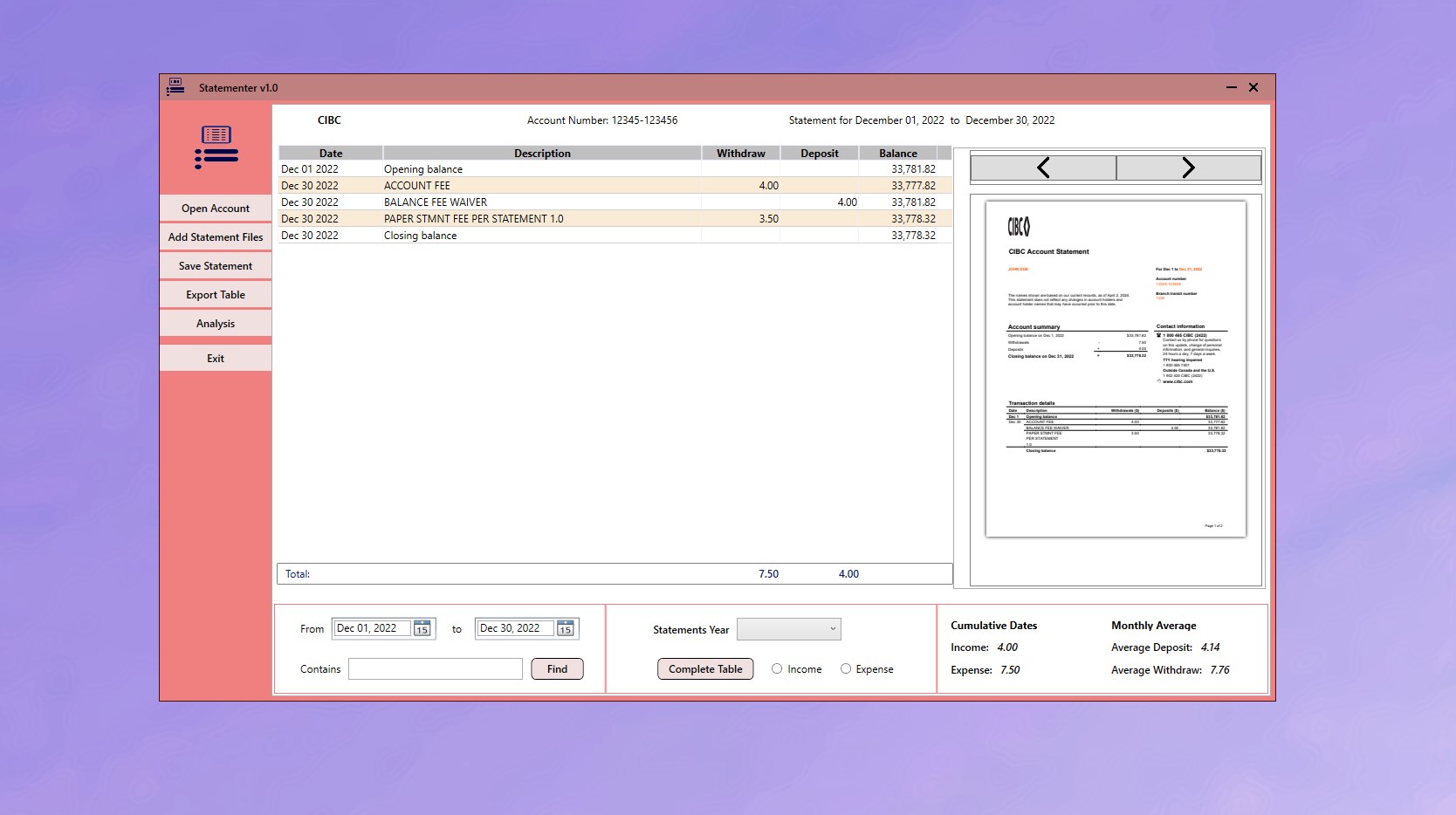
Fuzzy matching: searching for what you nearly remember
The fix is a search that tolerates difference. Statementer uses Levenshtein distance — a measure of how many single-character edits separate two strings — so a description within a few characters of what you typed still matches. Search "Amazon" and AMZN MKTP, AMAZON.CO.UK and AMZNMktplace all surface, across every statement loaded, in one pass.
Because all your statements are loaded together rather than opened one at a time, the search covers years rather than a document.
-
Load every statement that could contain it
Add the whole date range to Statementer rather than the month you think it happened in. Searching across all of them at once costs nothing and removes the assumption that is usually wrong.
-
Search a fragment, not the full name
Type a distinctive part of the merchant name — 'amz' rather than 'Amazon Marketplace'. Fuzzy matching does the rest, and a short fragment gives it less to disagree with.
-
Search the amount if the name fails
The amount is the one field banks do not abbreviate or truncate. An exact figure across several years usually returns a shortlist you can recognise the right row in.
-
Widen the date range by a month either side
Posting dates lag transaction dates, and international card payments can settle days later. A transaction you are certain happened in March may be recorded in April.
-
Use one hit to find all the others
Once you have found a single instance of a recurring payment, you have the exact string the bank prints. Search that string to retrieve every occurrence.
-
Export the filtered results
Export just the matching transactions to CSV and send it with the original statement PDF, so whoever asked can check the extract against the source document.
When you know the amount but not the name. Search the amount instead — it is the one field banks do not mangle. An exact figure across several years usually returns a handful of rows, and recognising the right one from a shortlist is far easier than recalling how the merchant was printed.
A search order that works
- Start broad, then narrow. Search a distinctive fragment — "amz", "netfl" — rather than a full name. Fewer characters means fewer ways to be wrong.
- Use the amount as a second axis. Name and approximate amount together identify a transaction almost uniquely.
- Check the month either side. Posting dates lag transaction dates, and card payments abroad can settle days later. If you are sure of the date and find nothing, widen by a month.
- Look for the recurring sibling. For subscriptions, find any one instance and you have the exact string the bank uses — then search that to get every instance since.
- Export the results. Filtered results export to CSV, which is what you actually send to an auditor, an accountant or an insurer.
Turning a search into evidence
Finding the row is usually not the end of the task — someone wants proof. The defensible package is the filtered CSV showing the transactions plus the original statement PDF containing them, so the extract can be checked against the source document. Keep the PDFs for exactly this reason.
If your statements are still only PDFs, the loading and extraction step is covered in how to convert a bank statement PDF to CSV.
Get Statementer
Search every statement at once, with fuzzy matching that finds the transaction anyway.
View on the Microsoft Store$19.99 USD · one-time purchase · Windows 10 & 11
Frequently asked questions
How do I search all my bank statements at once?
Load them into one tool rather than opening each PDF separately. Statementer holds multiple statements together and searches across all of them in a single pass, so a query covers years of history instead of one document.
Why can I not find a transaction I know is there?
Usually because the description in the statement is not the name you remember. Banks print the payment-network merchant identifier, which is often the legal entity rather than the brand, truncated to a fixed width, with location codes or processor prefixes such as SQ or PAYPAL attached. An exact-match search misses all of these, which is why fuzzy matching finds transactions Ctrl+F cannot.
What is fuzzy search and why does it matter for bank statements?
Fuzzy search matches text that is close to your query rather than identical to it, measured by how many single-character edits separate the two strings — Levenshtein distance. On bank statements this is essential because merchant descriptions are abbreviated and mangled, so searching 'Amazon' should still return AMZN MKTP and AMZNMktplace.
How do I find a transaction when I only remember the amount?
Search the amount. It is the one field banks do not abbreviate or truncate, so an exact figure searched across several years typically returns a short list you can identify the right row in — much easier than recalling how the merchant name was printed.
How do I find which subscription is charging me?
Search the amount you see recurring, since subscription charges are identical month to month. Once you find one instance you have the exact description string the bank uses, and searching that returns every occurrence, showing when the charges began.
How do I prove a payment for an audit or a dispute?
Provide both the extract and the source: a CSV of the matching transactions plus the original statement PDF that contains them, so the extract can be verified against the bank’s own document. An extract alone is easy to question; an extract that reconciles to the statement is not.