How to Prepare a Year of Bank Statements for Your Accountant
There is a specific, avoidable line on many small-business accounting bills. It is not called this, but it amounts to: time spent turning the client’s PDFs into data. It is charged at professional rates for work that is essentially transcription.
If you send a folder of statement PDFs at year end, someone at that firm converts them by hand or with a tool, checks the result, and bills you for it. If you send clean CSVs, that step disappears and the engagement starts at the point where an accountant is actually worth their rate — classification, treatment and advice.
This is also the fix for catch-up bookkeeping, where the same problem exists at scale: several accounts, many months, sometimes several years, all sitting in PDFs.
What accountants actually want to receive
Ask a bookkeeper and the answer is consistent:
- One file per account, per period. Ledgers are per-account. A combined file has to be split before it can be imported, and splitting is where transactions land in the wrong books.
- Complete, unedited periods. Gaps are worse than volume. A statement missing a fortnight means the period cannot be reconciled and someone has to come back to you.
- Consistent columns. Date, description, amount, balance — the same layout in every file, so the import mapping is set once.
- The original PDFs as well. The CSV is for importing; the PDF is the source document for anything queried, and for audit.
- Nothing pre-categorised. Resist tidying descriptions. Your accountant categorises against their own chart of accounts, and edited descriptions destroy the audit trail back to the statement.
The one thing not to do. Do not retype transactions into a spreadsheet by hand. Manual transcription of numeric data carries a well-documented error rate, and the errors are the dangerous kind — a transposed figure that still looks plausible and reconciles to nearly the right total. Extract the data mechanically instead.
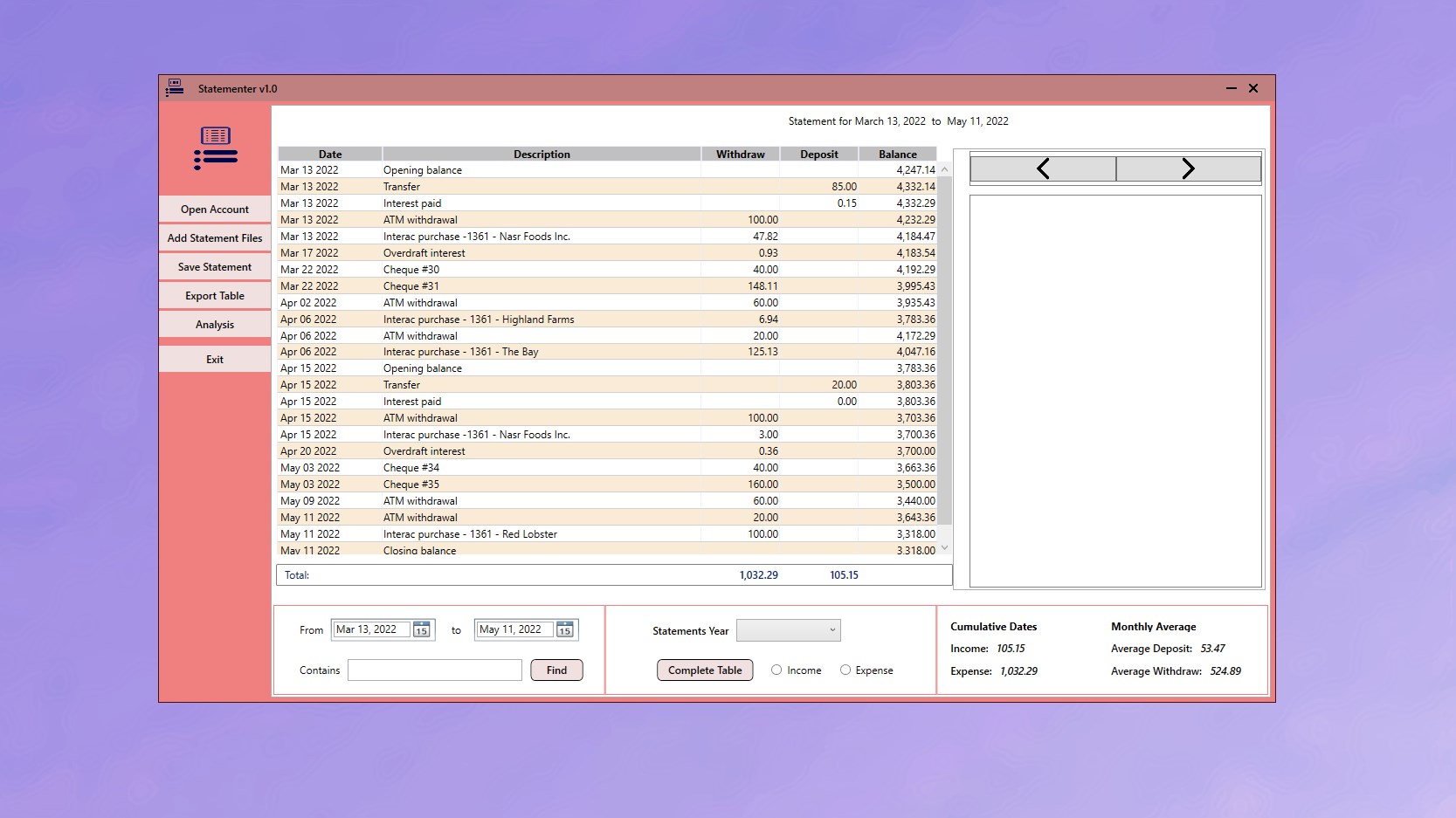
The preparation workflow
On Windows, Statementer handles the extraction step: it reads statement PDFs, separates transactions by account, and exports structured CSV, all on your own PC — which also answers the question of whether your business’s financial records should be uploaded to a converter website.
-
Ask your accountant what format they want
Some firms have an import template, some rely on bank feeds for recent periods, some prefer to extract the data themselves. One message before you start prevents preparing a year of data in the wrong layout.
-
Download every statement for the period from each bank
Work account by account and download the full period as PDFs from online banking. Check the statement numbering or dates for gaps now — a missing month found at this stage costs minutes, and found later costs a reconciliation.
-
Load the whole year into Statementer at once
Add the statement files as a batch rather than one at a time. Transactions are separated by account automatically, so a mixed folder does not have to be sorted by hand first.
-
Reconcile the closing balances before exporting
For each account, check that the closing balance of each month matches the opening balance of the next. This single check catches missing statements, duplicated files and parsing problems in one pass.
-
Export one CSV per account per period
Export separately for each account rather than as one combined file, since ledgers are per-account and combined files have to be split before import.
-
Send the CSVs together with the original PDFs
Package them in a clear folder structure — year, then account — and include the source PDFs. The CSV is for importing; the PDF is the source document for anything queried or audited.
Catch-up bookkeeping: several years at once
If you are behind by more than a year, the instinct is to start at the beginning and work forward. Work backwards instead: extract the most recent complete financial year first and get it to your accountant. It is the year with filing deadlines attached, the one where source documents are easiest to obtain, and delivering it first turns an intimidating backlog into a sequence of finished years.
Batch each year separately and keep the folder structure — one folder per year, one CSV per account inside it, and the source PDFs alongside. That structure survives being handed to a different bookkeeper later, which matters more than it sounds.
The question to ask your accountant first
Before exporting anything, send one short message: "What format do you want the bank data in, and do you want the PDFs too?" Some firms have a specific import template; some use a bank feed for current periods and only need historical data; some prefer to do the extraction themselves for liability reasons and would rather you did not.
Two minutes of asking prevents the outcome where you prepare a year of data in a layout their software will not accept. If they have no preference, per-account CSV plus the original PDFs is the format that works everywhere.
For the mechanics of the conversion itself, see how to convert a bank statement PDF to CSV.
Get Statementer
Turn a folder of statement PDFs into clean per-account CSV your accountant can import.
View on the Microsoft Store$19.99 USD · one-time purchase · Windows 10 & 11
Frequently asked questions
What format should I give my accountant bank statements in?
Ask them first, but the format that works almost everywhere is one CSV per bank account per period, with consistent date, description, amount and balance columns, sent alongside the original PDFs. CSV imports into every major bookkeeping package with a column-mapping step, and the PDFs remain the source documents for anything queried.
Does giving my accountant CSV files reduce my bill?
It removes a step they would otherwise perform and charge for — converting your PDFs into importable data and checking the result. Whether that shows up as a lower bill depends on how your engagement is priced, but on hourly or time-based billing it directly reduces chargeable admin time, and it is worth asking your firm how they treat it.
Should I categorise transactions before sending them?
No. Your accountant categorises against their own chart of accounts, and edited descriptions break the audit trail back to the statement. Send the transactions exactly as extracted; the value you add is completeness and structure, not classification.
How do I catch up on several years of bookkeeping?
Work backwards, most recent complete financial year first, because that is the year with filing deadlines and the easiest source documents to obtain. Batch each year separately, keep one folder per year with one CSV per account plus the source PDFs, and deliver each year as it is finished rather than waiting until the whole backlog is done.
Is it safe to use an online converter for business bank statements?
It means uploading your business’s complete financial record — account numbers, balances, customers and suppliers — to a third party. Some firms and data-protection obligations prohibit this outright. Statementer processes statements locally on your Windows PC so the files are never transmitted.
How do I check I have not missed a statement?
Reconcile the balances: the closing balance of each month should equal the opening balance of the next, for every account. Any break in that chain means a missing, duplicated or misparsed statement, and this one check finds all three.