Is It Safe to Upload Your Bank Statement to a Converter Website?
Search for a bank statement converter and you get a page of websites offering to do it free, right now, in your browser. All of them need one thing first: the statement. It is worth being precise about what you are handing over when you drag that file into the box.
The short answer is that reputable services exist and many people use them without incident. The longer answer is that a bank statement is an unusually concentrated document, the risk is not evenly distributed across all users, and for some people uploading is not a judgement call at all — it is a breach of an obligation they have already agreed to.
What is in the file you are uploading
A single statement page typically carries:
- Your full name and registered address
- Your account number and sort code or routing number
- Your income — amount, frequency and source
- Your balance, and therefore your financial position
- A complete behavioural record: where you shop, where you travel, which subscriptions you hold, who you pay and who pays you
That combination is more identifying than a passport scan. A passport proves who you are; a statement proves who you are, what you can afford, and what you do all week. It is precisely the input needed for convincing impersonation, and it is the reason statements are a routine target of business email compromise.
The questions worth asking about any converter site
| Question | Why it matters |
|---|---|
| Is the file deleted, and when? | "Deleted after an hour" is a policy, not a mechanism. Ask whether it covers backups and logs. |
| Is it processed by a third party? | Many small tools are wrappers around another vendor’s API, so the upload may reach a company not named anywhere on the page. |
| Where is it processed? | Cross-border transfer can matter for GDPR and for professional confidentiality obligations. |
| Is the data used for training or analytics? | Increasingly common, often stated only in the terms rather than on the marketing page. |
| Who runs the site? | A free tool with no named company, no address and no privacy contact is not a party you can hold to anything. |
| Is it free, and why? | Free processing costs the operator money. It is fair to ask what covers it. |
None of these questions imply bad faith. They are the ordinary due-diligence questions you would ask before sending the same document by email — and email, at least, you can see the recipient of.
When uploading is not a judgement call
For some people this stops being a matter of personal risk tolerance. If you are a bookkeeper, accountant, solicitor or financial adviser handling a client’s statement, the document is not yours to upload. Sending it to a third-party processor is a disclosure, and it is likely governed by your engagement letter, your professional body’s confidentiality rules, and data-protection law requiring a lawful basis and often a processor agreement.
The same applies to statements obtained in litigation or disclosure, to any organisation operating under a data-processing agreement that names its sub-processors, and to anyone whose employer forbids uploading financial records to unapproved services. In these cases the compliant answer is not a better website — it is not to use a website.
How to convert without uploading anything
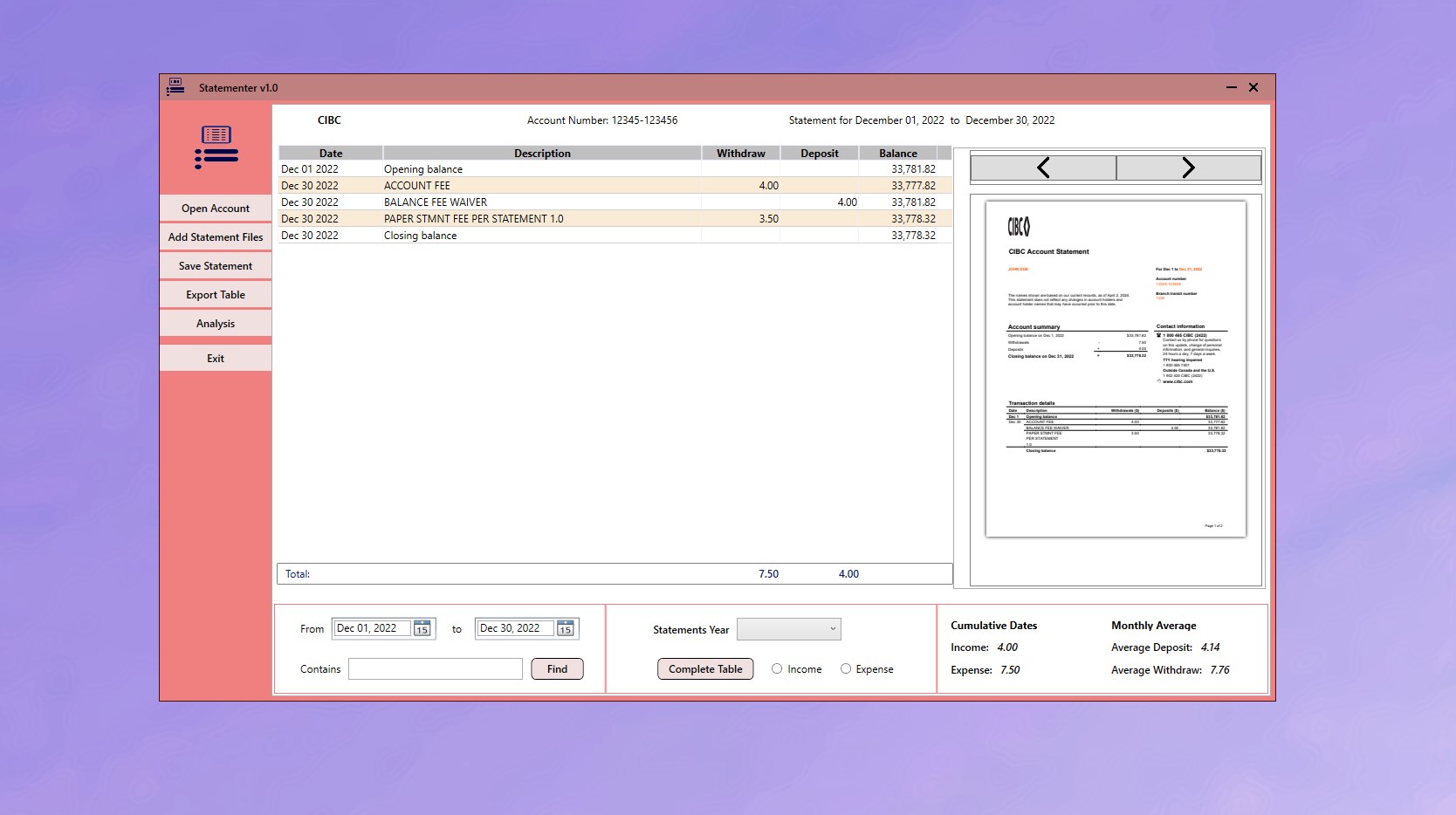
The alternative is to process the file on the machine it is already sitting on. Statementer is a Windows desktop application: you add the statement PDFs, it reads them locally, and it exports structured CSV. Nothing is transmitted, which means there is no retention policy to read, no sub-processor to identify, and no cross-border transfer to document — because the file never moves.
-
Decide whether the document is yours to share
If the statement belongs to a client, or was obtained through disclosure, uploading it to a third party is a disclosure decision governed by your engagement terms and professional obligations — not a convenience choice.
-
Install a converter that runs on your own machine
Statementer is a Windows desktop application from the Microsoft Store. Once installed, the conversion happens on the PC where the statements already are.
-
Verify it is genuinely local
Disconnect from the internet and convert a statement. If it still works, nothing is being transmitted. This test is more informative than any privacy policy.
-
Add the statement PDFs
Choose Add Statement Files and load the statements, individually or in a batch. Transactions are separated by account automatically.
-
Review and export to CSV
Check the parsed transactions against the PDF, then export the full or filtered set as structured CSV for Excel or your accounting package.
-
Store the CSV as carefully as the PDF
The export contains the same sensitive data as the original. Keep it in the same protected location rather than in a downloads folder or a shared drive.
A simple test of any tool’s claims. Disconnect from the internet and try to convert a statement. Genuinely local software carries on working. Anything that needs the network was sending your document somewhere, whatever the landing page said about privacy.
What you trade away, honestly
Local processing is not free of downsides, and the comparison should be fair:
| Online converter | Desktop application |
|---|---|
| Works on any device with a browser, including a phone | Windows PC only |
| Nothing to install | One install, then no dependency on anyone’s uptime |
| Often free at low volume, then per-page or subscription | One-time purchase, no page limits |
| Your statement leaves your control | The statement never leaves the machine |
If you are converting one statement, once, on a shared computer you do not own, an online tool is a reasonable choice. If you handle statements regularly, or handle anyone’s but your own, the trade runs the other way.
The mechanics of the conversion itself — batching a year of PDFs, separating accounts, exporting CSV your accountant can import — are covered in the full conversion guide.
Get Statementer
A desktop bank statement converter. Your statements are read on your PC and never uploaded.
View on the Microsoft Store$19.99 USD · one-time purchase · Windows 10 & 11
Frequently asked questions
Is it safe to upload a bank statement to an online converter?
It depends on the operator and on whose statement it is. A bank statement contains your account number, address, income, balance and complete spending history — enough for convincing impersonation. Reputable services exist, but you should know who processes the file, whether a third-party API is involved, how long it is retained and whether it is used for training. If the statement belongs to a client, uploading is a disclosure governed by your professional and data-protection obligations, not a personal risk decision.
How can I convert a bank statement to CSV without uploading it?
Use desktop software that processes the file locally. Statementer is a Windows application that reads statement PDFs on your own PC and exports structured CSV, so the document is never transmitted. You can verify this by disconnecting from the internet — genuinely local software keeps working.
Are free bank statement converters actually free?
Free processing costs the operator money in servers and engineering, so it is reasonable to ask what covers it. Common answers are a paid tier the free one advertises, page or volume caps that push you to upgrade, or use of submitted documents for product improvement. The terms of service, rather than the landing page, is where this is usually stated.
Can accountants and bookkeepers use online statement converters for client files?
That is a decision for your firm and professional body, but it is a disclosure of client data to a third-party processor, which typically requires a lawful basis, a processor agreement, and consistency with your engagement letter and confidentiality rules. Many firms resolve this by requiring that client financial documents be processed on firm-controlled machines, which local desktop software satisfies by design. Check your own obligations rather than relying on a vendor’s assurance.
What can someone do with a stolen bank statement?
It supports identity verification fraud, since many services accept a statement as proof of address and identity; it enables targeted social engineering, because it reveals who you pay regularly; and it exposes your account details and financial position. This concentration of information is why statements are a standard target in business email compromise.
Does Statementer need an internet connection?
No. It is a Windows desktop application that reads statement PDFs and exports CSV locally, and it is bought once from the Microsoft Store for $19.99 rather than subscribed to. There is no account and no upload step.