How to Build a Board Pack PDF People Can Actually Navigate
The papers arrive late, in different formats, from people who did not read the template. The pack goes out the evening before. And at the meeting somebody asks everyone to turn to item 7(b), which in a 180-page PDF with no outline means forty seconds of silence while everyone scrolls.
Board packs, committee papers, investment committee bundles and trustee packs all share the same shape: many contributors, one deadline, one document, and a reader who needs to move around it quickly. The assembly is usually done by one person, often the company secretary or an EA, and often at night.
The difference between a pack that works and one that does not is almost entirely structure, and structure is the part that gets dropped when time runs short.
What a good pack does that a bad one does not
- The outline mirrors the agenda. If the agenda says 7(b), the navigation pane says 7(b). The reader never translates between two numbering systems.
- One entry per agenda item. Not per file, not per contributor — per item, in the order they will be discussed.
- It opens showing the outline. Readers should not have to discover the navigation exists.
- Page numbering is continuous. "Page 4 of the finance paper" is ambiguous in a pack where four papers have a page 4.
- It is one file. A pack distributed as fourteen attachments is fourteen chances for someone to open the wrong one.
The assembly problem
Papers arrive as Word documents, slide decks, exported reports and scans. They are converted to PDF individually — each contributor’s file becomes a PDF — and then combined. That last step is where packs fall apart, because most merge tools discard the bookmarks and produce a flat document.
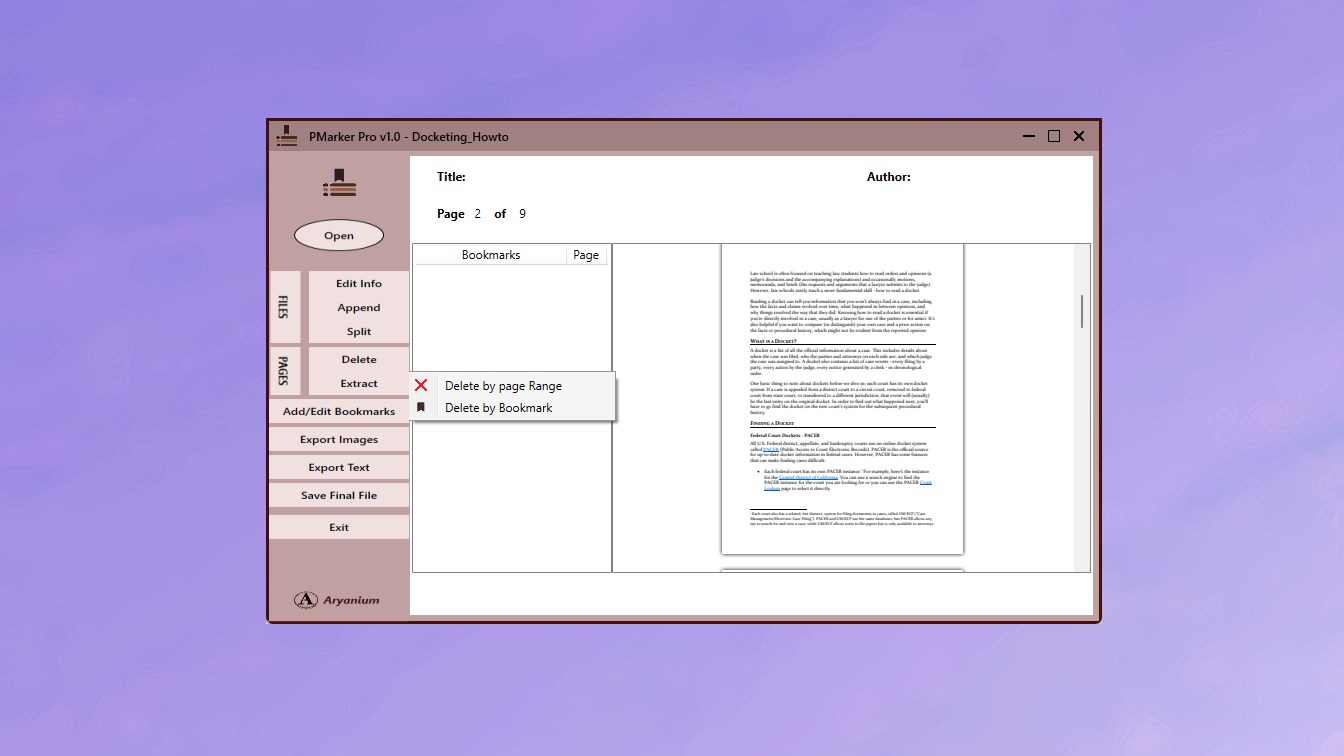
PMarker Pro appends PDFs together with their bookmarks and lets you edit the resulting outline, which is what makes the agenda-shaped structure achievable in the time available. It runs on Windows as a desktop application, so unpublished board material is not uploaded to a web service — normally a governance requirement rather than a preference.
A repeatable assembly process
The aim is a process that takes twenty minutes on the night, not two hours — which means most of the work happens before the papers arrive.
-
Build numbered placeholder folders from the agenda
As soon as the agenda is agreed, create one folder or filename slot per item, numbered to match — 01 Minutes, 02 Matters Arising, 07b Finance Report. Assembly later becomes dropping files into slots.
-
Convert every contribution to PDF separately
Convert each paper to its own PDF as it arrives, rather than at the end. Late conversion is where formatting surprises appear, and finding them one paper at a time is far less costly than during final assembly.
-
Name each file exactly as the outline should read
The filename generally becomes the bookmark entry, so name it as the agenda item reads. This is where the pack's navigability is actually decided.
-
Append the papers in agenda order
Use Append PDF Files in PMarker Pro to merge them in sequence. Because the merge keeps bookmarks, each paper becomes its own outline entry and any internal structure it had is retained beneath.
-
Edit the outline to mirror the agenda exactly
Rename or delete entries so the navigation pane matches the agenda numbering item for item. When the chair says 7(b), the reader should find 7(b).
-
Set the document title and check it as a reader
Edit the PDF title metadata to the board and date, then open the finished pack, confirm the outline is visible and every entry lands on the right page before distributing.
Build the folder structure when the agenda is set, not when the papers arrive. Create one numbered, named placeholder per agenda item as soon as the agenda is agreed. Assembling then becomes dropping files into slots, and a missing paper is visible as an empty slot days early rather than as a gap discovered at 11pm.
Handling the late paper
There is always one. The pack is built, distributed, and then item 9 arrives — or is replaced.
The temptation is to rebuild from scratch, which risks introducing a different error into a document people have already started reading. The lower-risk route is surgical: delete the pages of the superseded paper by their bookmark, then append the replacement and move its entry into position. Whichever route you take, reissue the whole pack with a version marker rather than sending a supplementary file — packs circulating in two versions is the failure mode that actually causes problems in a meeting.
After the meeting
The pack has a second life as a record. Splitting it back into individual papers by bookmark gives you one file per item for the minute book or the document management system, which is a single operation rather than fourteen extractions — see splitting a PDF by its bookmarks.
It is also worth setting the PDF’s title metadata to the board and date, since that is what appears in the reader’s window title and in most document management systems — a detail that costs seconds and saves confusion when four packs are open at once.
Get PMarker Pro
Assemble board papers into one bookmarked PDF, and split it back afterwards. Windows desktop, no uploads.
View on the Microsoft Store$7.09 USD · one-time purchase · Windows 10 & 11
Frequently asked questions
How do I create a board pack PDF with bookmarks?
Convert each paper to its own PDF, name each file as the agenda item should read, then merge them in agenda order with a tool that preserves bookmarks so each paper becomes an outline entry. PMarker Pro on Windows appends PDFs with their bookmarks and lets you edit the resulting outline to mirror the agenda numbering exactly.
What makes a board pack easy to navigate?
A bookmark outline that mirrors the agenda item for item, so a reference to item 7(b) in the meeting maps directly onto an entry in the navigation pane; one entry per agenda item rather than per contributor; continuous page numbering across the whole pack; and distribution as a single file rather than as a dozen attachments.
Should a board pack be one PDF or separate files?
One file, in almost all cases. A pack sent as fourteen attachments means fourteen chances to open the wrong document, no continuous pagination, and no single reference point during the meeting. The navigation that separate files were meant to provide is better supplied by a bookmark outline within one document.
How do I handle a late or replacement board paper?
Rather than rebuilding the pack, delete the superseded paper's pages by its bookmark and append the replacement in its place. Then reissue the complete pack with a version marker rather than sending a supplementary file — two versions of a pack circulating simultaneously causes more difficulty in a meeting than a late reissue does.
Is it safe to use an online PDF merger for board papers?
Board material is typically unpublished, price-sensitive or confidential, and uploading it to a third-party web service is usually inconsistent with the organisation's information governance obligations. Desktop software avoids the question entirely: PMarker Pro processes files on your own Windows PC with no upload.
How do I archive a board pack after the meeting?
Split it back into individual papers by its bookmarks, which produces one file per agenda item in a single operation for the minute book or document management system. Setting the pack's title metadata to the board name and date before archiving also makes it findable later, since that is the field most systems index.