How to Search a Document Production or Disclosure Set
A production arrives: several thousand pages, produced by someone with no interest in making them easy to navigate, and a deadline. Reading it end to end is not possible, and reading it selectively is exactly how something important gets missed.
Legal disclosure, regulatory information requests, due diligence data rooms and audit sampling all share this shape. Large firms run e-discovery platforms costing thousands. Everyone else — small practices, in-house teams, one-person consultancies, litigants in person — needs a method that works with ordinary tools.
Search-led review, and its risk
The workable method is to search rather than read: run terms across the whole set, review what they return, and use the pattern of hits to identify which documents deserve full reading.
The risk is specific and worth naming. A search-led review finds what you thought to search for. A term that never occurred to you produces no result, and no result looks like nothing there. Most review failures are failures of the term list rather than of the tool.
Building the term list properly
Spend real time here — it determines the quality of everything downstream. A usable list covers:
- People — every party, with the spelling variants they appear under.
- Entities — companies, trading names, abbreviations, former names.
- References — case, contract, invoice and account numbers, in each format used.
- Events — dates written several ways, plus the language around them.
- Concepts — the ideas at issue, in the words the authors would have used rather than the words in your pleadings.
- Evasions — the vaguer phrasing people use when they are being careful in writing.
That last category repays the most effort and is the one most often skipped.
Working through the set
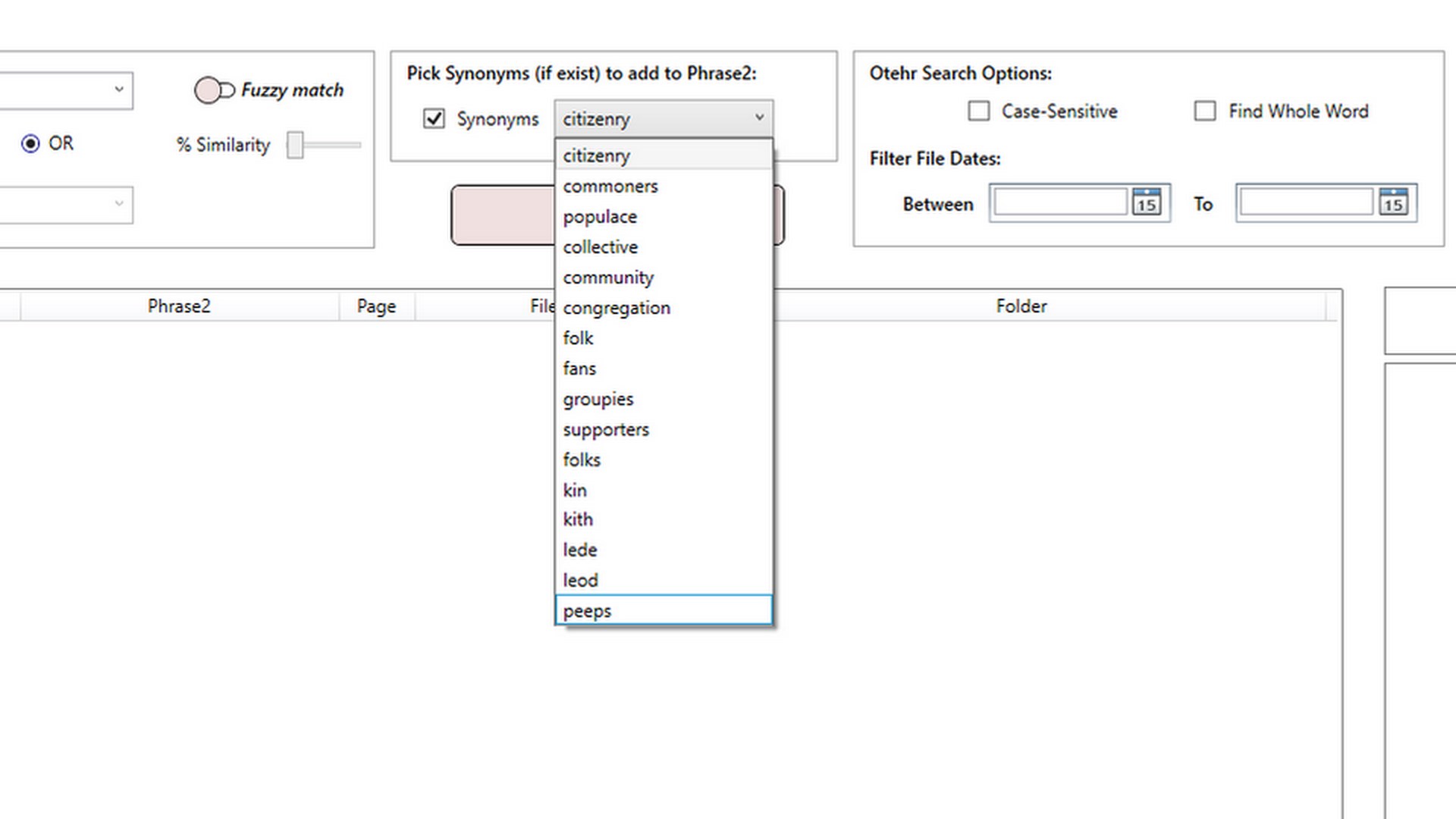
PFinder supports this directly: load the whole production, search two phrases combined with AND or OR, use fuzzy matching where names and references vary, and export the results as an HTML report. It is free, and the documents are searched on your own machine rather than uploaded — which for material under a confidentiality undertaking or a disclosure order is usually a requirement rather than a preference.
-
Establish what is searchable before you begin
Sample documents from each part of the production and check whether the text selects. Scanned pages with no text layer are invisible to every search, and knowing which parts they are is essential before you can describe the review as complete.
-
Build the term list before running anything
Cover people and their spelling variants, entities and former names, reference numbers in each format, dates, the concepts at issue in the authors' own words, and the vaguer phrasing people use when being careful in writing.
-
Load the whole production at once
Search the complete set rather than folder by folder, so a document filed in an unexpected place is still covered.
-
Run each term, using AND to focus and fuzzy to widen
Combine a name with a second distinctive term when a search returns too much, and enable fuzzy matching where names, references or OCR quality make exact matching unreliable.
-
Export the results of every search, including the empty ones
A record of which terms were run and what each returned is what makes the review defensible later. Null results you can evidence are as valuable as hits.
-
Review by pattern, then read the concentrations in full
Prioritise documents where several unrelated terms coincide over those with many hits on one, and look at clusters in time — then read those documents properly rather than relying on the search extract.
Record every search, not just the ones that found something. Export the results as you go, including empty ones. Being able to show which terms were run, when, and what came back is what makes a review defensible if the adequacy of your search is ever questioned — and a null result you can evidence is worth considerably more than one you remember.
Reading the pattern, not just the hits
The most useful signal in a large set is usually not any single match but the distribution of them. Documents where several unrelated terms all appear are more likely to matter than documents with many hits on one term. Clusters in time often indicate the period where something happened.
And gaps are evidence too: a stretch with no correspondence at all, in a set that is otherwise dense, is a question worth asking about.
The scanned-document problem
Productions frequently include scans, and a scan with no text layer is invisible to every search you run. If part of the set cannot be searched, that fact needs to be established at the start and stated — a review described as complete that silently excluded 400 unsearchable pages is a serious problem.
Check a sample from each source: if the text does not select, those documents need OCR before they can be included, and until then they have to be handled separately.
Extracting what you found
Productions usually arrive as a few enormous PDFs rather than one file per document, which makes citing and circulating anything awkward. Breaking the bundle into individual documents is PMarker Pro’s job — see splitting a PDF by its content for bundles with a repeating header per document, or splitting by bookmarks where the producing party bookmarked them.
Get PFinder
Search a whole production set with Boolean and fuzzy matching, and export what you found. Free.
Get PFinder free on the Microsoft StoreFree · no account, no sign-up · Windows 10 & 11
Frequently asked questions
How do I search a large legal disclosure or discovery set?
Run a search-led review: build a thorough term list first, load the whole production at once, search across all of it with Boolean AND/OR and fuzzy matching for names and references, and export the results of every search as a record. PFinder does this free on Windows, searching documents on your own PC rather than uploading them — usually a requirement for material under a confidentiality undertaking.
What is the biggest risk in a search-led document review?
That the review finds only what you thought to search for. A term that never occurred to you returns nothing, and nothing looks identical to absence. Most review failures are failures of the term list rather than of the search tool, which is why building that list deserves more time than running the searches.
Should I record searches that returned no results?
Yes, and this is frequently overlooked. Being able to show which terms were run and what each returned — including the empty ones — is what makes a review defensible if its adequacy is later questioned. A null result you can evidence is worth far more than one you merely remember.
How do I handle scanned documents in a production?
Establish at the outset which parts of the set are scans with no text layer, by checking whether text selects in a sample from each source. Those documents are invisible to every search, so they need OCR or separate manual handling — and a review described as complete that silently excluded unsearchable pages is a serious problem.
What search terms should I use for a document review?
Cover six categories: people with their spelling variants, entities including trading and former names, reference numbers in every format used, dates written several ways, the concepts at issue in the words the authors would have used rather than your own, and the vaguer phrasing people adopt when being careful in writing. The last is the most productive and the most often skipped.
How do I split a production bundle into individual documents?
Productions usually arrive as a few large PDFs rather than one file per document. PMarker Pro splits them — by bookmarks where the producing party created them, or by a repeating header or reference that appears on the first page of each document. That makes individual documents citable and circulable.