PMarker Pro

Your all-in-one PDF toolkit. Easily combine multiple PDFs with clean, organized bookmarks, split documents into separate files, remove or extract pages, and take full control of your bookmarks—all with a few clicks.
PMarker Pro Icon
10$

One-time purchase

Lifetime access
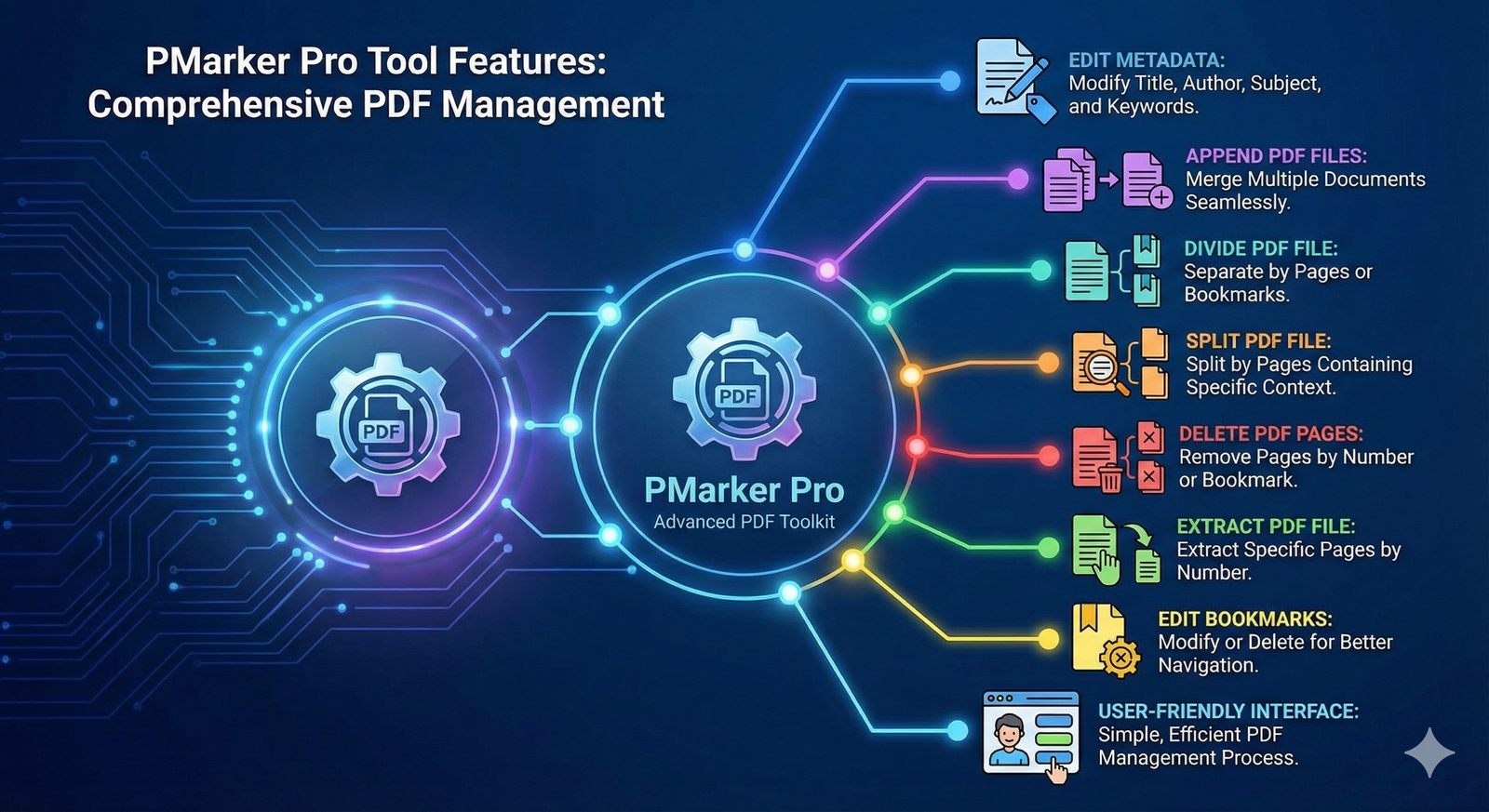
PMarker Infographic

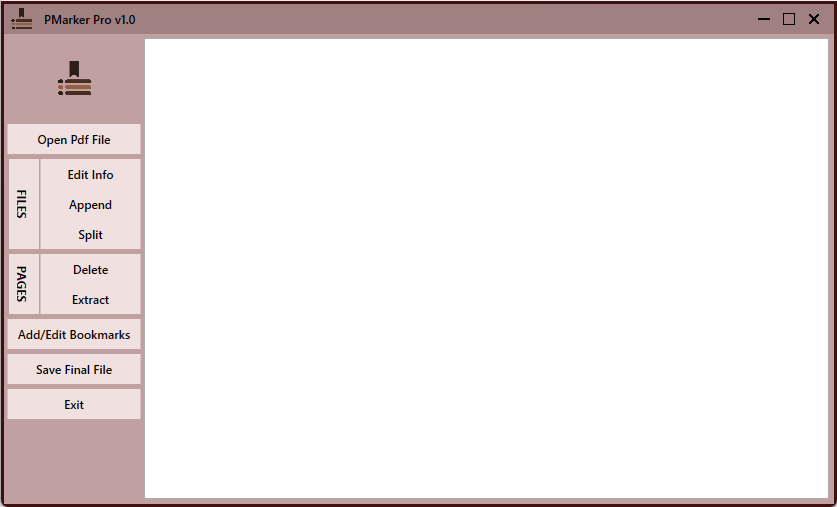
PMarker Pro is a powerful and intuitive tool for handling PDF documents. With PMarker Pro, you can open a PDF file and seamlessly append multiple PDFs to it by creating organized bookmarks, making document management effortless..

Main Features

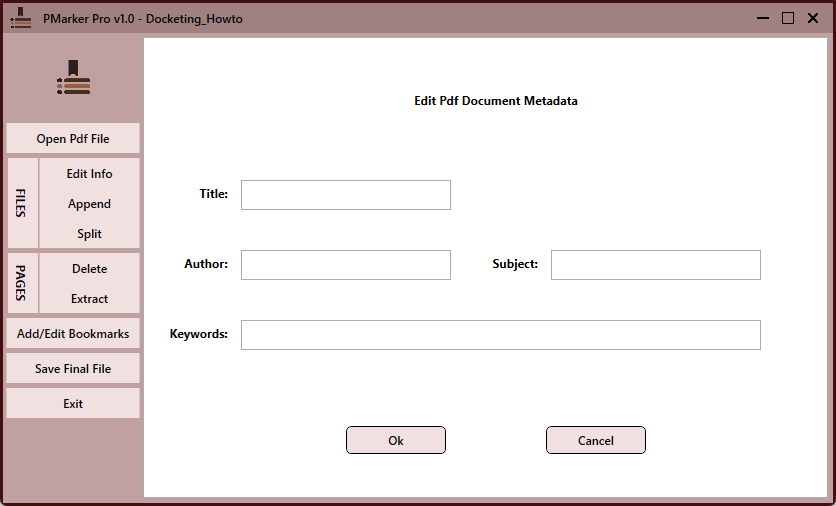
Edit Metadata: Edit Metadata of PDF file.

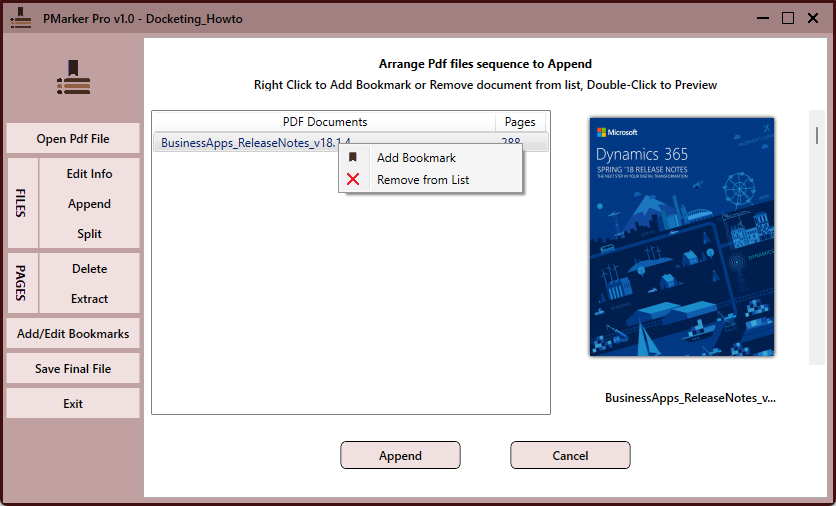
Append PDF Files: Merge multiple PDF files.

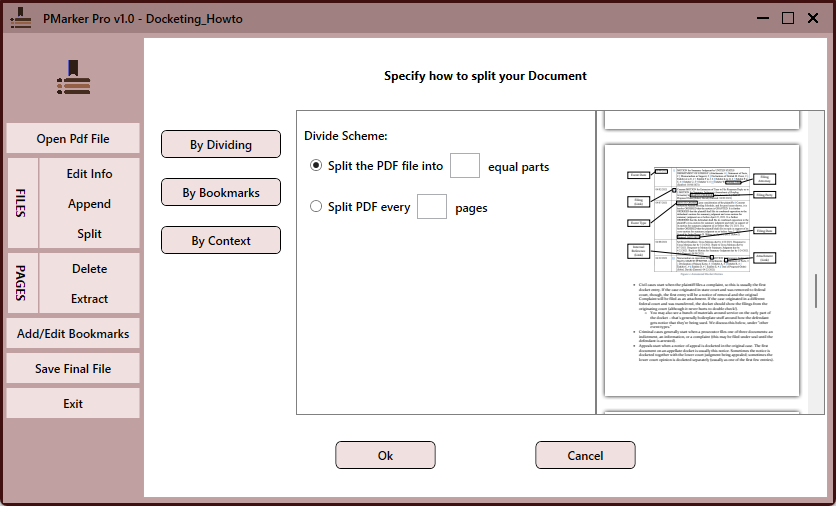
Divide PDF File: Divide PDF file to spearate parts by pages or bookmakrs.

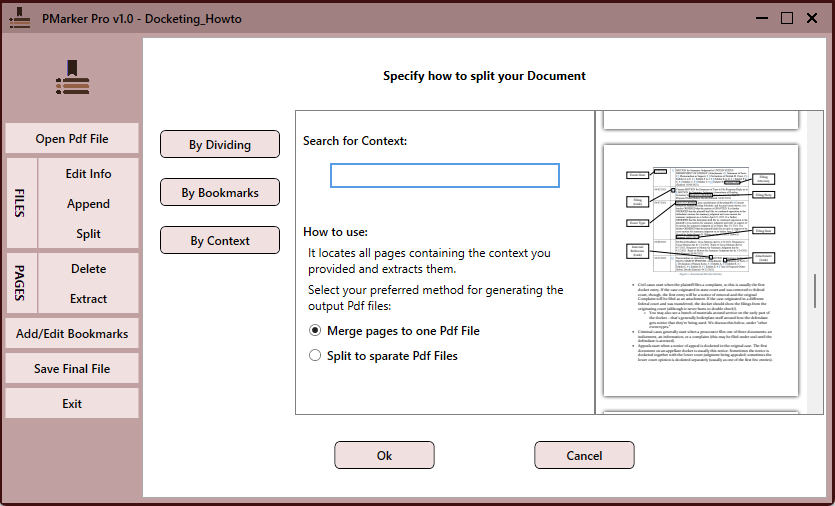
Split PDF File: Split PDF file to pages containing a specific context.

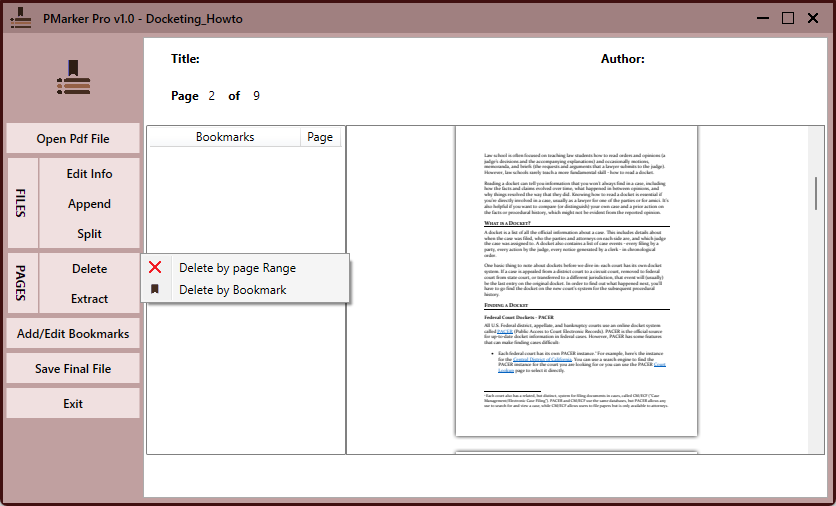
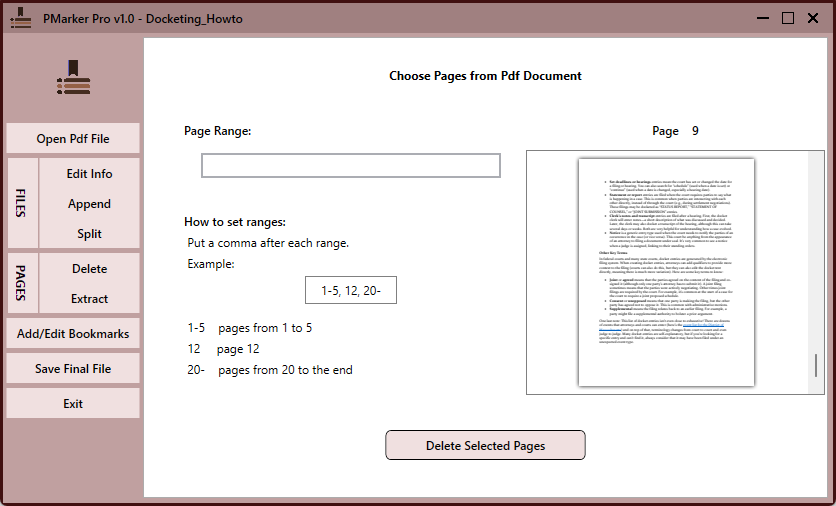
Delete PDF Pages: Delete PDF pages by page numbers or bookmarks.

Extract PDF File: Extract PDF pages by page numbers.

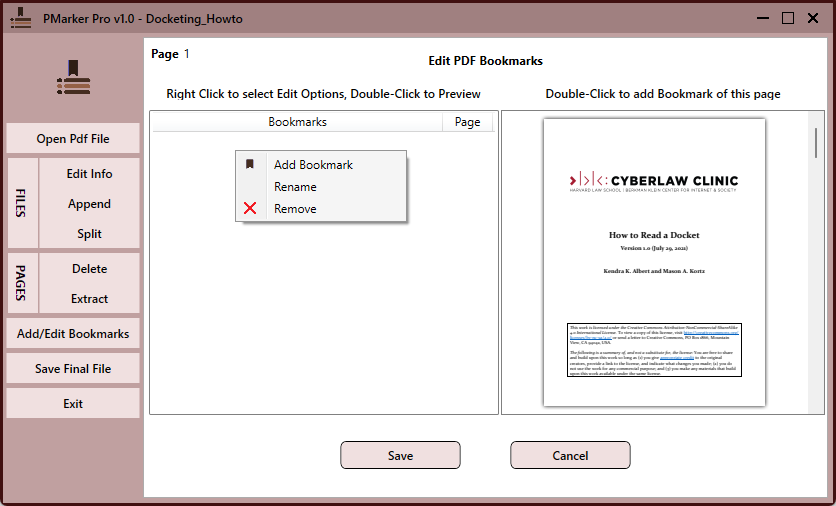
Edit Bookmarks: Modify or Delete Bookmarks for better navigation and organization.

User-Friendly Interface: Simplifies the process of managing PDF files efficiently.

Requirements

Operating System: Compatible with Microsoft Windows 10 and 11.

Dependencies: net8.0.

Getting Started

  • Install PMarker Pro from the Microsoft Store.
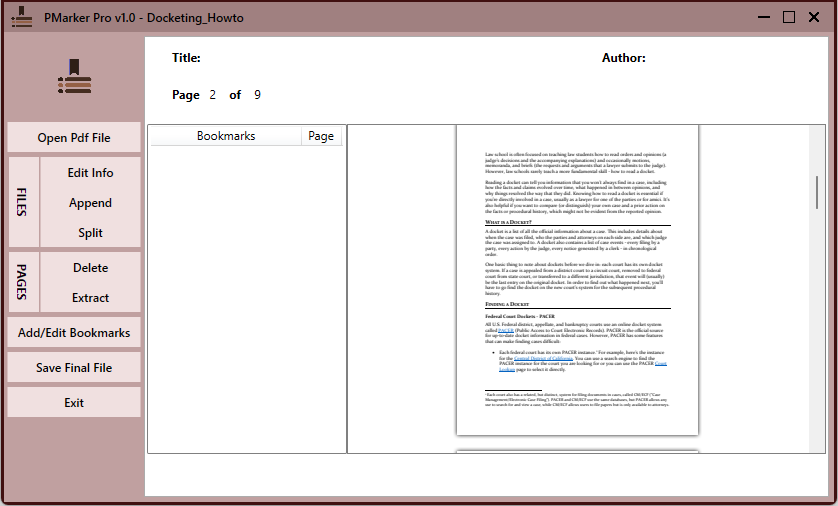
  • Open the application to access the main interface.
  • Click the "Open Main Doc" button and start managing your PDF Documents.

Screenshots & Interface

Key Features

Edit PDF Metadata

Edit PDF info like Title or Author

Merge PDF Files

Combining multiple PDFs into one cohesive file with their Bookmarks

Split PDF to Pages

Split PDF file into separate files

Bookmark Management

Create new or change existing bookmarks for faster access to desired pages

Delete PDF Pages

Removing unnecessary pages of PDF file

Extract PDF Pages

Pulling out specific pages to create a new document

See It In Action

Ready to Get Started?

Join all users who trust DMarker for their daily workflow.