
Free
No credit card required
No credit card required
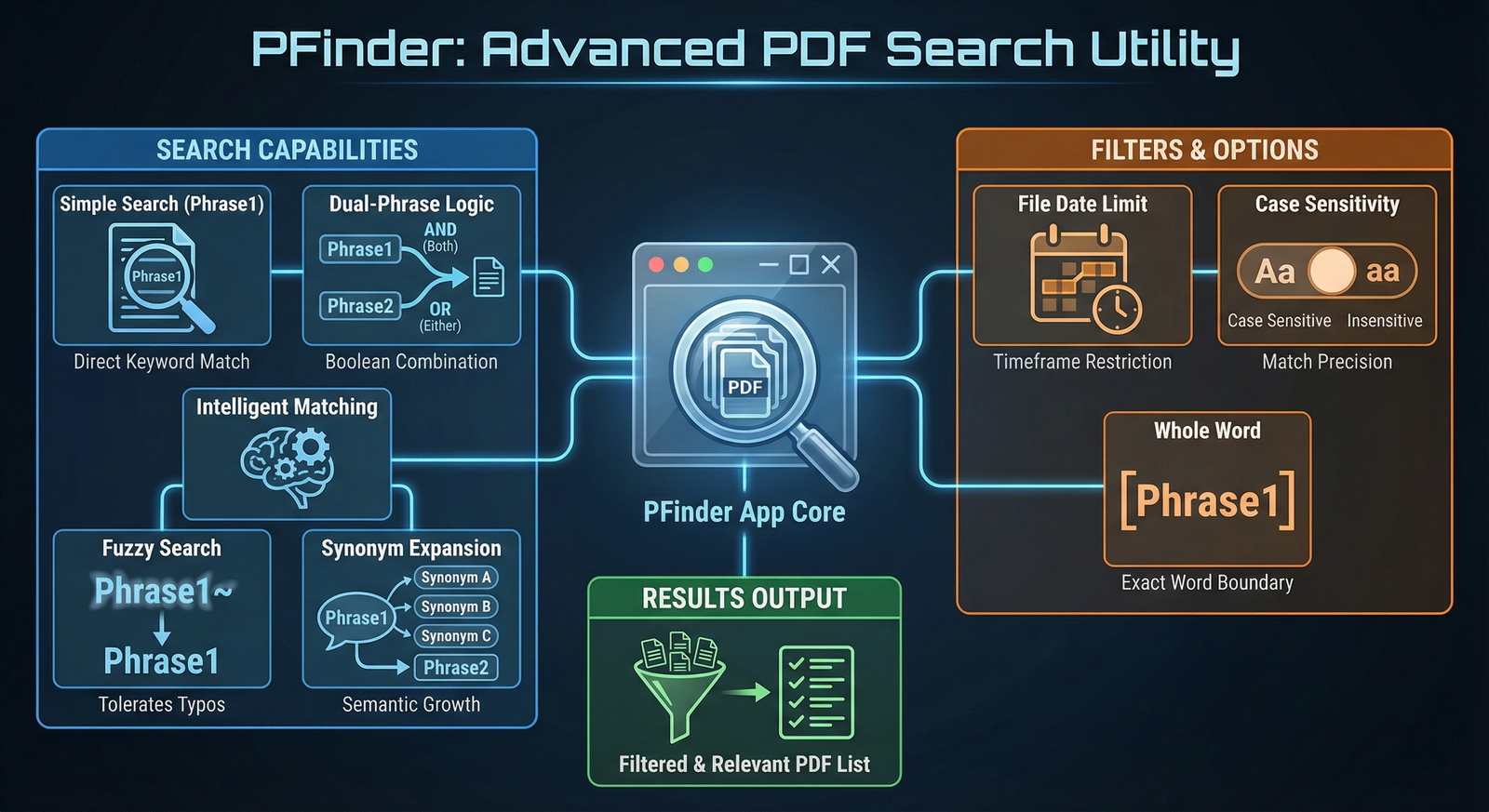
PFinder is a high-performance Windows Desktop application designed for deep text retrieval across multiple PDF documents. It combines traditional Boolean logic with modern semantic and fuzzy matching to ensure no information is left undiscovered.
Open PDF Files or Folders: Quickly load your PDF files.
Dual-Phrase Logic: Locate any occurrence of Phrase1
Boolean Operators: Refine results by combining two phrases using AND (both must exist) or OR (either can exist).
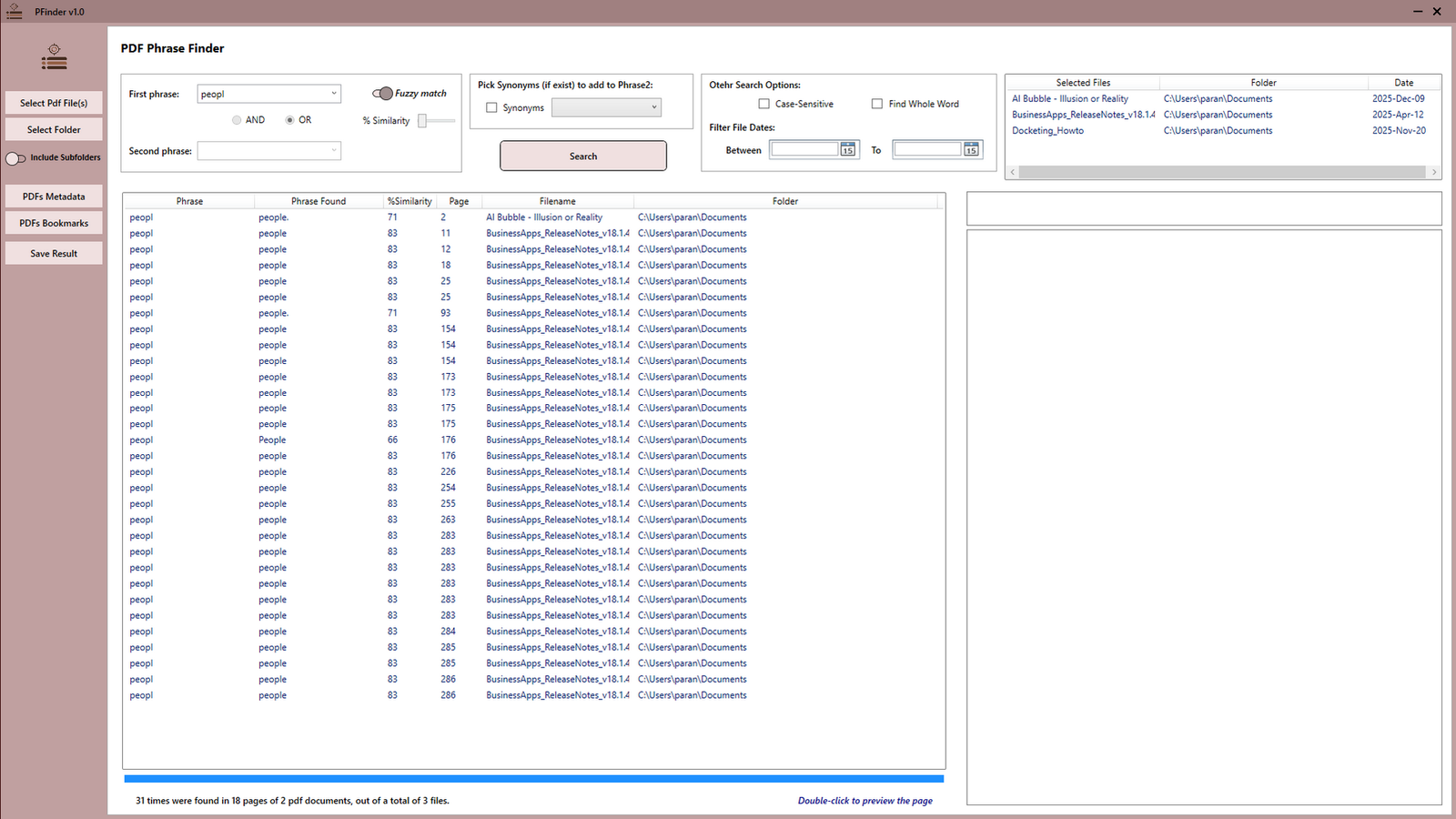
Fuzzy Search: Identifies results that are "close" to Phrase1, allowing for typos or slight spelling variations (Levenshtein Distance).
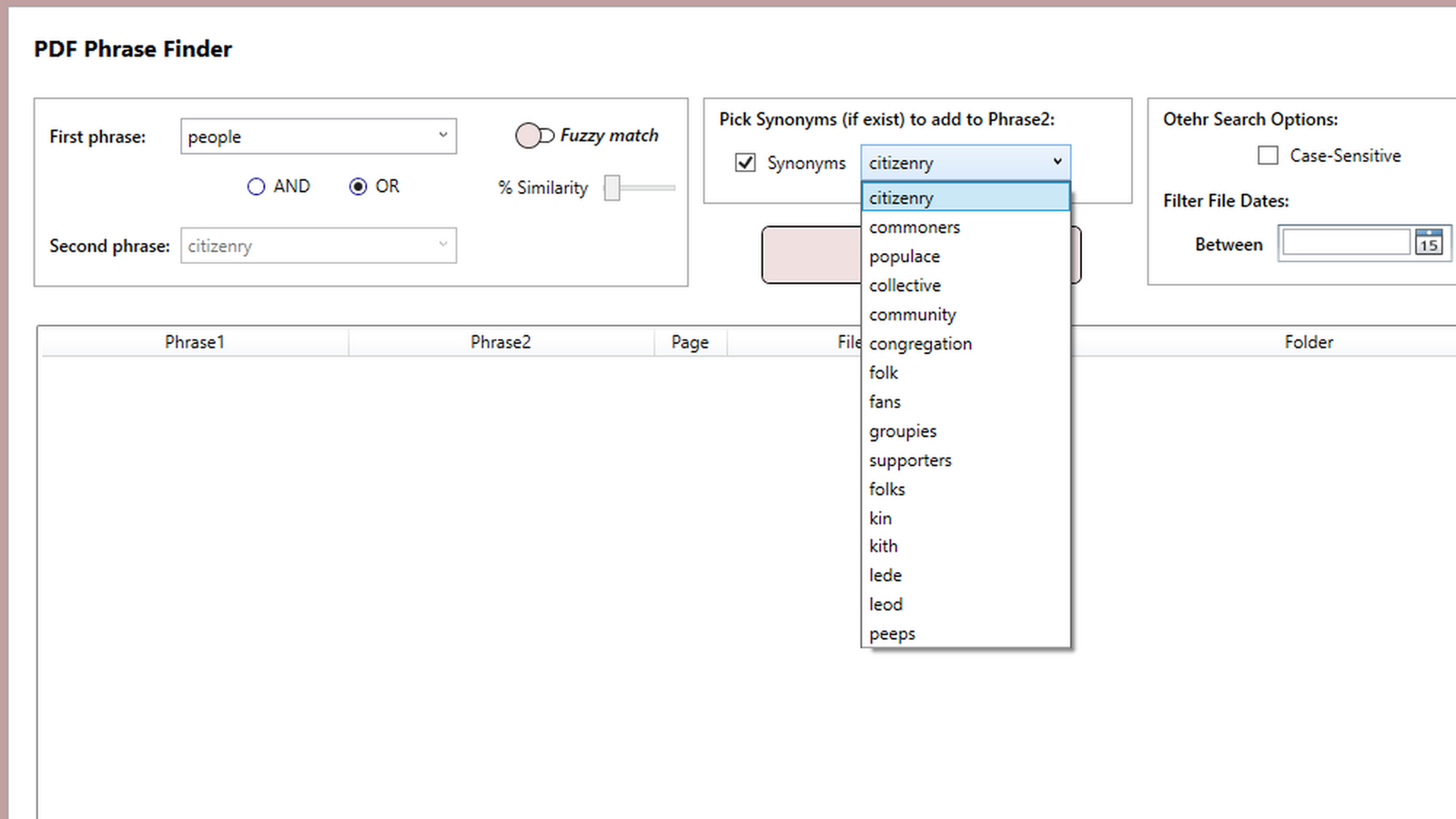
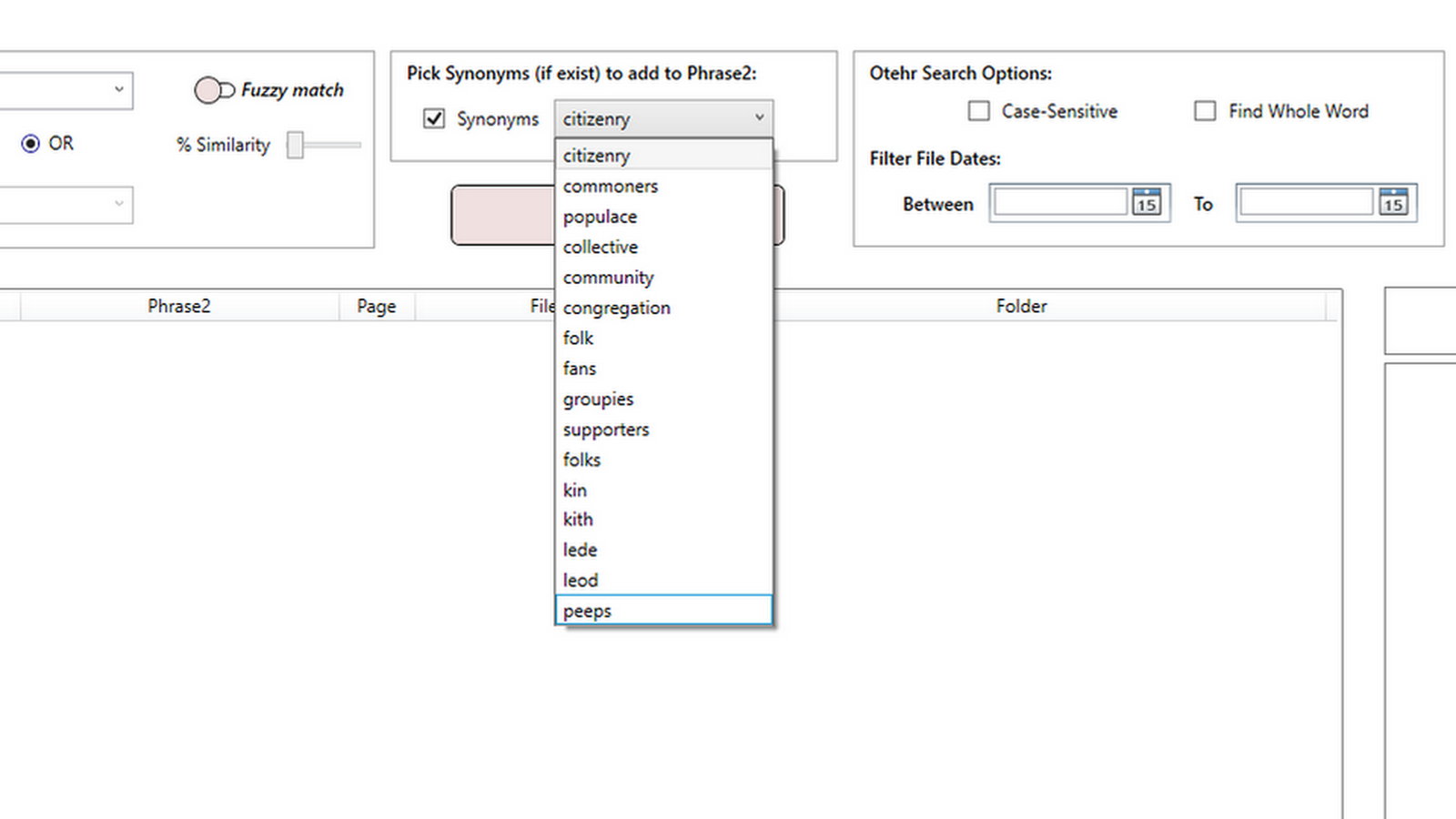
Synonym Expansion: Automatically fetches synonyms for Phrase1 and populates them as Phrase2 to catch conceptually similar content.
Save Result: Save the search result as an HTML file.
User-Friendly Interface: Simplifies the process of searchoing PDF files efficiently.
Operating System: Compatible with Microsoft Windows 10 and 11.
Dependencies: net8.0.
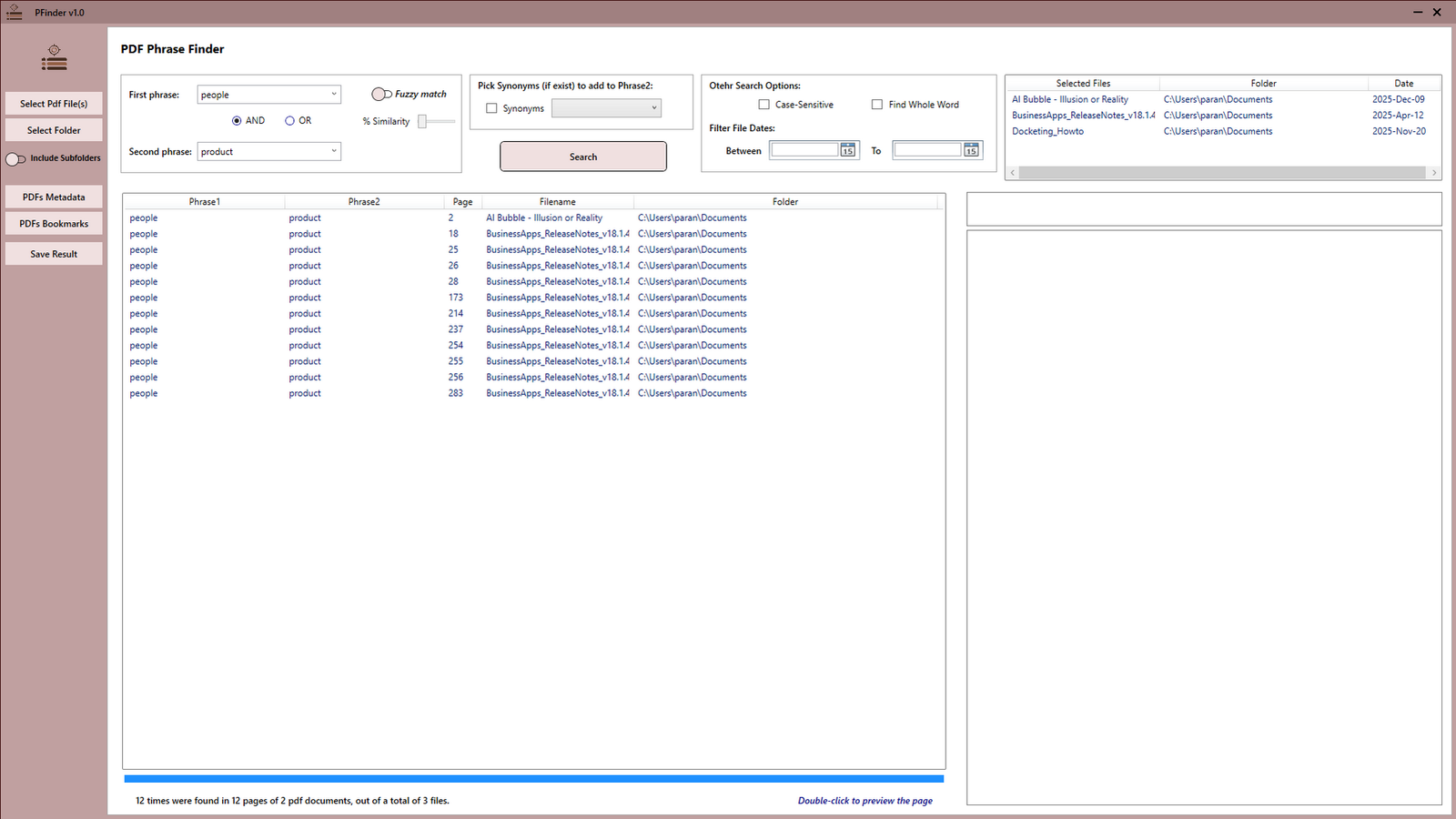
Searching one or two phrases within the selected PDFs
Using AND or OR operators between two phrases for search
The ability to find words or phrases even when they contain typos or misspellings
Read Metadata of PDF files
Read all bookmarks of PDF files
Make an HTML file of found phrases within the selected PDFs
Join all users who trust PFinder for their daily workflow.